Plot, tag and spotlight every Bitcoin community!
Unlike OpenStreetMap (OSM) merchant data, communities live inside the BTC Map database and can only be edited by admins. Grab a keyboard, ping us on Matrix, or fire off an email if you'd like to join the admin crew and help get every Bitcoin community around the world on the map.
What you'll need
- A computer with two monitors (makes life easier)
- Access to the BTC Map community web app, Gitea and Matrix
- A careful eye and a bit of perseverance
If you'd like, we'll pair you with a buddy who will walk you through tagging your very first ticket.
Keen to help? Please complete the Become a Tagger form.
Before you start
Pop into the Matrix #shadowy-supertaggers channel and say hi. We'd love to get to know you a bit before you dive in.
Step-by-step workflow
1. Log in to Gitea
2. Pick a ticket
Every ticket carries a blue "community-submission" label. Click any one of them to filter all open submissions in a single shot, or hit this direct link.
Open any open issue → click “Assignees” on the right → choose yourself
3. Verify the community
Make sure the group is active and laser-focused on bitcoin only. We skip whole country entries; if someone submits one, suggest they create a community organization that multiple communities can be tagged with. Overlapping or multiple communities in the same city/region are totally fine.
4. Area coding
To designate the community area, use the GeoJSON Coding Area Helper tool.
5. Check logo
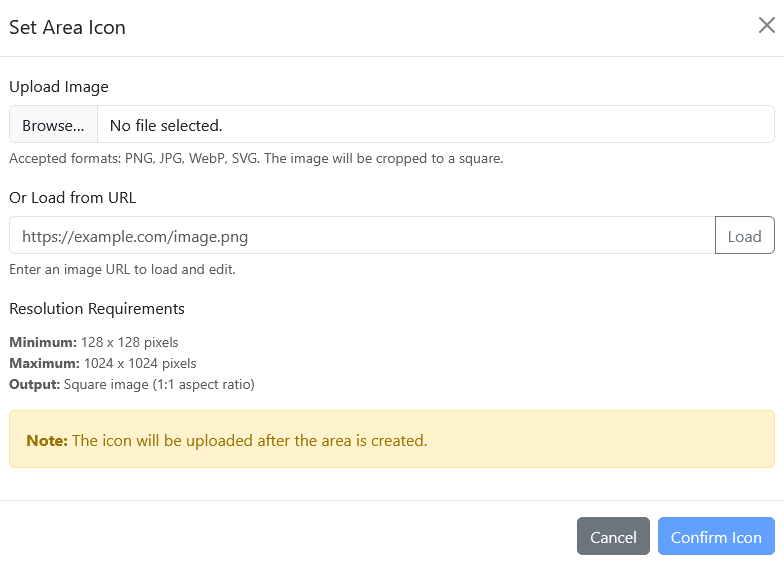
The file format can be .jpeg, .png, or .svg. For best results, the logo should be approximately square (400 x 400px), since it will be cropped into a circle.
6. Add area
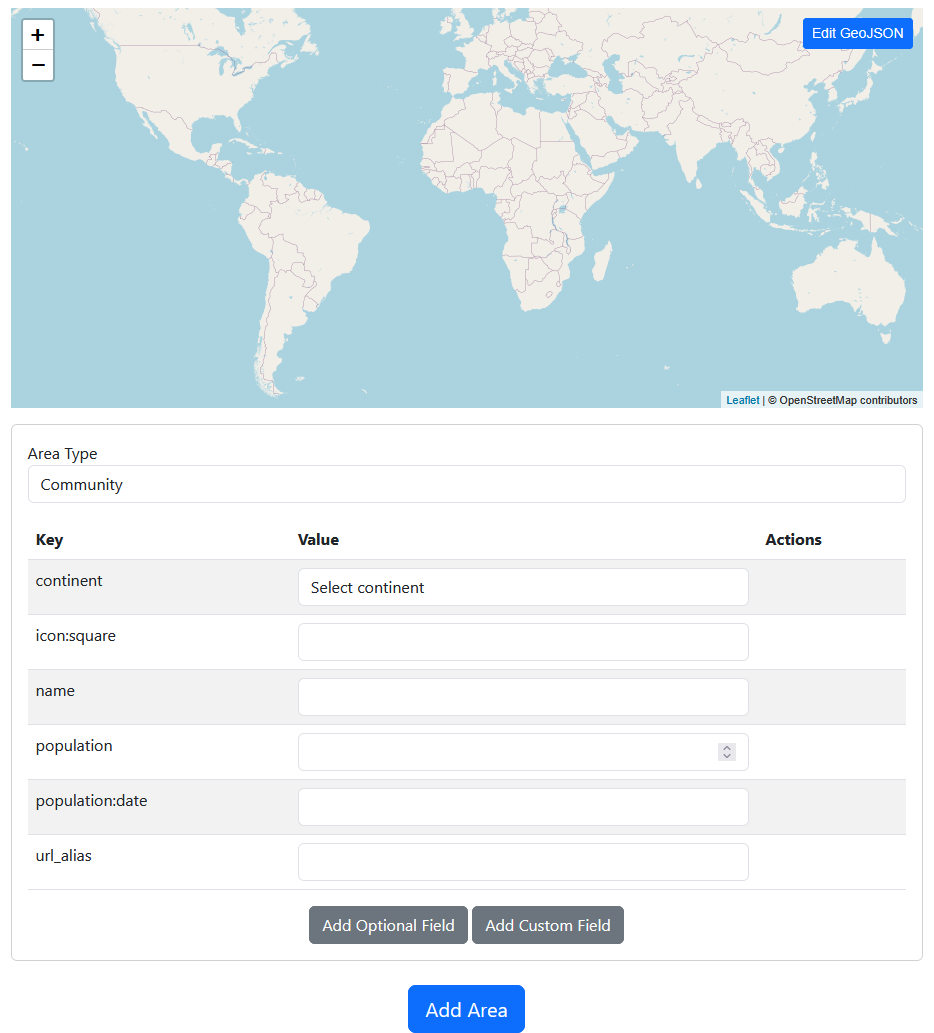
Sign in to the BTC Map community web app, click "Add Area".
Standard fields
Click "Edit GeoJSON" and paste Polygon coding (limit is 500 data points).

Add continent
Select: North America, South America, Europe, Africa, Asia or Oceania
Add name
The community name in normal case, no ALL-CAPS.
Add population

Add population:date

Add url_alias
Enter the community name in lowercase only; replace spaces with hyphens. This text will form the custom URL path to the community page. Example: https://btcmap.org/community/arnhem-bitcoin-city/
Optional fields
Add area_km2

Add email

Add telegram

Add signal

Add nostr

Add meetup

Add tips:lightning_address

Add description
7. Add logo
Click "Edit" in the "Click to add icon" box (top right).
Complete?
Click "Add Area"
The video demo (created by ProfEduStream).
Current community admins
| Who | Regions |
|---|---|
| ProfEduStream | France, Belgium |
| Nathan Day | Global |
| Rockedf | Global |
| Comino | Global |

- Home
- Table of Contents
- Quicklinks: